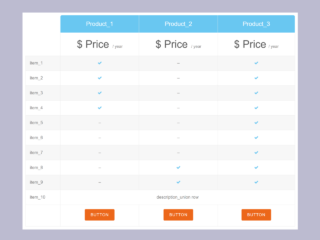
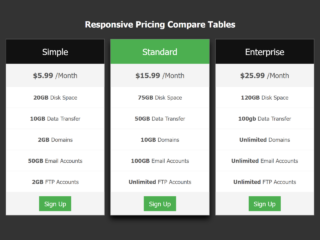
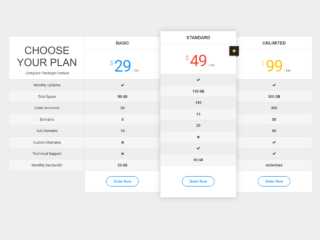
Are you looking to present your product or service prices in a clear, appealing, and adaptable way? Creating a responsive website pricing table is essential for any modern business. This tutorial will guide you through building a sleek pricing table that looks great on any device, from desktops to mobile phones. It helps users easily compare plans and choose the best option for their needs.
Setting Up Your Project
First, you need to add the necessary external assets. These assets provide special fonts for your pricing table. Place the following code inside the <head> tag of your HTML document.
<link rel='stylesheet' href='https://fonts.googleapis.com/css?family=Open+Sans'>
Creating the HTML Structure
Next, build the main HTML structure for your pricing table. This code defines the layout and content of each pricing plan. It also includes an animated wave effect for the header. Insert the following HTML code where you want your pricing table to appear.
<body>
  <div class="header">
<div class="inner-header flex">
<section>
      <center><h1 style="font-size: 2.5em;font-family: 'Open Sans', sans-serif; color: white;">Maintenance Websites Price List</h1></center>
        <div class="pricing pricing-palden">
            <div class="pricing-item features-item ja-animate" data-animation="move-from-bottom" data-delay="item-0" style="min-height: 497px;">
                <div class="pricing-deco">
                    <svg class="pricing-deco-img" enable-background="new 0 0 300 100" height="100px" id="Layer_1" preserveAspectRatio="none" version="1.1" viewBox="0 0 300 100" width="300px" x="0px" xml:space="preserve" y="0px">
                        <path class="deco-layer deco-layer--1" d="M30.913,43.944c0,0,42.911-34.464,87.51-14.191c77.31,35.14,113.304-1.952,146.638-4.729c48.654-4.056,69.94,16.218,69.94,16.218v54.396H30.913V43.944z" fill="#FFFFFF" opacity="0.6"></path>
                        <path class="deco-layer deco-layer--2" d="M-35.667,44.628c0,0,42.91-34.463,87.51-14.191c77.31,35.141,113.304-1.952,146.639-4.729c48.653-4.055,69.939,16.218,69.939,16.218v54.396H-35.667V44.628z" fill="#FFFFFF" opacity="0.6"></path>
                        <path class="deco-layer deco-layer--3" d="M43.415,98.342c0,0,48.283-68.927,109.133-68.927c65.886,0,97.983,67.914,97.983,67.914v3.716H42.401L43.415,98.342z" fill="#FFFFFF" opacity="0.7"></path>
                        <path class="deco-layer deco-layer--4" d="M-34.667,62.998c0,0,56-45.667,120.316-27.839C167.484,57.842,197,41.332,232.286,30.428c53.07-16.399,104.047,36.903,104.047,36.903l1.333,36.667l-372-2.954L-34.667,62.998z" fill="#FFFFFF"></path>
                    </svg>
                    <div class="pricing-price"><span class="pricing-currency">$TWD</span>500
                        <span class="pricing-period">/ day</span>
                    </div>
                    <h3 class="pricing-title">Basic</h3>
                </div>
                <ul class="pricing-feature-list">
                    <li class="pricing-feature">1 Pages/Screens</li>
                    <li class="pricing-feature">Responsive Design</li>
                    <li class="pricing-feature">Content Upload</li>
                </ul>
                <button class="pricing-action">Choose plan</button>
            </div>
            <div class="pricing-item features-item ja-animate pricing__item--featured" data-animation="move-from-bottom" data-delay="item-1" style="min-height: 497px;">
                <div class="pricing-deco" style="background: linear-gradient(135deg,#a93bfe,#584efd)">
                    <svg class="pricing-deco-img" enable-background="new 0 0 300 100" height="100px" id="Layer_1" preserveAspectRatio="none" version="1.1" viewBox="0 0 300 100" width="300px" x="0px" xml:space="preserve" y="0px">
                        <path class="deco-layer deco-layer--1" d="M30.913,43.944c0,0,42.911-34.464,87.51-14.191c77.31,35.14,113.304-1.952,146.638-4.729c48.654-4.056,69.94,16.218,69.94,16.218v54.396H30.913V43.944z" fill="#FFFFFF" opacity="0.6"></path>
                        <path class="deco-layer deco-layer--2" d="M-35.667,44.628c0,0,42.91-34.463,87.51-14.191c77.31,35.141,113.304-1.952,146.639-4.729c48.653-4.055,69.939,16.218,69.939,16.218v54.396H-35.667V44.628z" fill="#FFFFFF" opacity="0.6"></path>
                        <path class="deco-layer deco-layer--3" d="M43.415,98.342c0,0,48.283-68.927,109.133-68.927c65.886,0,97.983,67.914,97.983,67.914v3.716H42.401L43.415,98.342z" fill="#FFFFFF" opacity="0.7"></path>
                        <path class="deco-layer deco-layer--4" d="M-34.667,62.998c0,0,56-45.667,120.316-27.839C167.484,57.842,197,41.332,232.286,30.428c53.07-16.399,104.047,36.903,104.047,36.903l1.333,36.667l-372-2.954L-34.667,62.998z" fill="#FFFFFF"></path>
                    </svg>
                    <div class="pricing-price"><span class="pricing-currency">$TWD</span>2499
                        <span class="pricing-period">/ month</span>
                    </div>
                    <h3 class="pricing-title">Premium</h3>
                </div>
                <ul class="pricing-feature-list">
                    <li class="pricing-feature">10 Pages/Screens</li>
                    <li class="pricing-feature">Responsive Design</li>
                    <li class="pricing-feature">Content Upload</li>
                </ul>
                <button class="pricing-action">Choose plan</button>
            </div>
            <div class="pricing-item features-item ja-animate" data-animation="move-from-bottom" data-delay="item-2" style="min-height: 497px;">
                <div class="pricing-deco">
                    <svg class="pricing-deco-img" enable-background="new 0 0 300 100" height="100px" id="Layer_1" preserveAspectRatio="none" version="1.1" viewBox="0 0 300 100" width="300px" x="0px" xml:space="preserve" y="0px">
                        <path class="deco-layer deco-layer--1" d="M30.913,43.944c0,0,42.911-34.464,87.51-14.191c77.31,35.14,113.304-1.952,146.638-4.729c48.654-4.056,69.94,16.218,69.94,16.218v54.396H30.913V43.944z" fill="#FFFFFF" opacity="0.6"></path>
                        <path class="deco-layer deco-layer--2" d="M-35.667,44.628c0,0,42.91-34.463,87.51-14.191c77.31,35.141,113.304-1.952,146.639-4.729c48.653-4.055,69.939,16.218,69.939,16.218v54.396H-35.667V44.628z" fill="#FFFFFF" opacity="0.6"></path>
                        <path class="deco-layer deco-layer--3" d="M43.415,98.342c0,0,48.283-68.927,109.133-68.927c65.886,0,97.983,67.914,97.983,67.914v3.716H42.401L43.415,98.342z" fill="#FFFFFF" opacity="0.7"></path>
                        <path class="deco-layer deco-layer--4" d="M-34.667,62.998c0,0,56-45.667,120.316-27.839C167.484,57.842,197,41.332,232.286,30.428c53.07-16.399,104.047,36.903,104.047,36.903l1.333,36.667l-372-2.954L-34.667,62.998z" fill="#FFFFFF"></path>
                    </svg>
                    <div class="pricing-price"><span class="pricing-currency">$TWD</span>999
                        <span class="pricing-period">/ week</span>
                    </div>
                    <h3 class="pricing-title">Standard</h3>
                </div>
                <ul class="pricing-feature-list">
                    <li class="pricing-feature">5 Pages/Screens</li>
                    <li class="pricing-feature">Responsive Design</li>
                    <li class="pricing-feature">Content Upload</li>
                </ul>
                <button class="pricing-action">Choose plan</button>
            </div>
        </div>
    </section>
</div>
<div>
<svg class="waves" xmlns="http://www.w3.org/2000/svg" xmlns:xlink="http://www.w3.org/1999/xlink"
viewBox="0 24 150 28" preserveAspectRatio="none" shape-rendering="auto">
<defs>
<path id="gentle-wave" d="M-160 44c30 0 58-18 88-18s 58 18 88 18 58-18 88-18 58 18 88 18 v44h-352z" />
</defs>
<g class="parallax">
<use xlink:href="#gentle-wave" x="48" y="0" fill="rgba(255,255,255,0.7" />
<use xlink:href="#gentle-wave" x="48" y="3" fill="rgba(255,255,255,0.5)" />
<use xlink:href="#gentle-wave" x="48" y="5" fill="rgba(255,255,255,0.3)" />
<use xlink:href="#gentle-wave" x="48" y="7" fill="#fff" />
</g>
</svg>
</div>
</div>
Styling with CSS
To make your pricing table visually appealing and responsive, apply the following CSS styles. This CSS code handles the layout, colors, typography, and responsiveness of the table elements. Add this CSS to your stylesheet or inside a <style> tag in your HTML <head>.
body {
    -webkit-font-smoothing: antialiased;
    background-color: rgba(0, 0, 0, 0.8);
  margin:0;
}

        section {
            color: #7a90ff;
            padding: 2em 0;
            min-height: 100%;
            position: relative;
            -webkit-font-smoothing: antialiased;
            z-index:10;
        }

        .pricing {
            display: -webkit-flex;
            display: flex;
            -webkit-flex-wrap: wrap;
            flex-wrap: wrap;
            -webkit-justify-content: center;
            justify-content: center;
            width: 100%;
            margin: 0 auto;
        }

        .pricing-item {
            position: relative;
            display: -webkit-flex;
            display: flex;
            -webkit-flex-direction: column;
            flex-direction: column;
            -webkit-align-items: stretch;
            align-items: stretch;
            text-align: center;
            -webkit-flex: 0 1 330px;
            flex: 0 1 330px;
        }

        .pricing-action {
            color: inherit;
            border: none;
            background: none;
            cursor: pointer;
        }

        .pricing-action:focus {
            outline: none;
        }

        .pricing-feature-list {
            text-align: left;
        }

        .pricing-palden .pricing-item {
            font-family: 'Open Sans', sans-serif;
            cursor: default;
            color: #84697c;
            background: #fff;
            box-shadow: 0 0 10px rgba(46, 59, 125, 0.23);
            border-radius: 20px 20px 10px 10px;
            margin: 1em;
        }

        @media screen and (min-width: 66.25em) {
            .pricing-palden .pricing-item {
                margin: 1em -0.5em;
            }
            .pricing-palden .pricing__item--featured {
                margin: 0;
                z-index: 10;
                box-shadow: 0 0 20px rgba(46, 59, 125, 0.23);
            }
        }

        .pricing-palden .pricing-deco {
            border-radius: 10px 10px 0 0;
            background: linear-gradient(135deg,#4097f9,#0af0c7);
            padding: 4em 0 9em;
            position: relative;
        }

        .pricing-palden .pricing-deco-img {
            position: absolute;
            bottom: 0;
            left: 0;
            width: 100%;
            height: 160px;
        }

        .pricing-palden .pricing-title {
            font-size: 0.75em;
            margin: 0;
            text-transform: uppercase;
            letter-spacing: 5px;
            color: #fff;
        }

        .pricing-palden .deco-layer {
            -webkit-transition: -webkit-transform 0.5s;
            transition: transform 0.5s;
        }

        .pricing-palden .pricing-item:hover .deco-layer--1 {
            -webkit-transform: translate3d(15px, 0, 0);
            transform: translate3d(15px, 0, 0);
        }

        .pricing-palden .pricing-item:hover .deco-layer--2 {
            -webkit-transform: translate3d(-15px, 0, 0);
            transform: translate3d(-15px, 0, 0);
        }

        .pricing-palden .icon {
            font-size: 2.5em;
        }

        .pricing-palden .pricing-price {
            font-size: 5em;
            font-weight: bold;
            padding: 0;
            color: #fff;
            margin: 0 0 0.25em 0;
            line-height: 0.75;
        }

        .pricing-palden .pricing-currency {
            font-size: 0.15em;
            vertical-align: top;
        }

        .pricing-palden .pricing-period {
            font-size: 0.15em;
            padding: 0 0 0 0.5em;
            font-style: italic;
        }

        .pricing-palden .pricing__sentence {
            font-weight: bold;
            margin: 0 0 1em 0;
            padding: 0 0 0.5em;
        }

        .pricing-palden .pricing-feature-list {
            margin: 0;
            padding: 0.25em 0 2.5em;
            list-style: none;
            text-align: center;
        }

        .pricing-palden .pricing-feature {
            padding: 1em 0;
        }

        .pricing-palden .pricing-action {
            font-weight: bold;
            margin: auto 3em 2em 3em;
            padding: 1em 2em;
            color: #fff;
            border-radius: 30px;
            background: linear-gradient(135deg,#a93bfe,#584efd);
            -webkit-transition: background-color 0.3s;
            transition: background-color 0.3s;
        }

        .pricing-palden .pricing-action:hover,
        .pricing-palden .pricing-action:focus {
            background: linear-gradient(135deg,#fd7d57,#f55d59);
        }

        .pricing-palden .pricing-item--featured .pricing-deco {
            padding: 5em 0 8.885em 0;
        }

@import url(//fonts.googleapis.com/css?family=Lato:300:400);

.header {
  position:relative;
  text-align:center;
  background-image: radial-gradient(circle at 39% 47%, rgba(107, 107, 107,0.08) 0%, rgba(107, 107, 107,0.08) 33.333%,rgba(72, 72, 72,0.08) 33.333%, rgba(72, 72, 72,0.08) 66.666%,rgba(36, 36, 36,0.08) 66.666%, rgba(36, 36, 36,0.08) 99.999%),radial-gradient(circle at 53% 74%, rgba(182, 182, 182,0.08) 0%, rgba(182, 182, 182,0.08) 33.333%,rgba(202, 202, 202,0.08) 33.333%, rgba(202, 202, 202,0.08) 66.666%,rgba(221, 221, 221,0.08) 66.666%, rgba(221, 221, 221,0.08) 99.999%),radial-gradient(circle at 14% 98%, rgba(184, 184, 184,0.08) 0%, rgba(184, 184, 184,0.08) 33.333%,rgba(96, 96, 96,0.08) 33.333%, rgba(96, 96, 96,0.08) 66.666%,rgba(7, 7, 7,0.08) 66.666%, rgba(7, 7, 7,0.08) 99.999%),linear-gradient(45deg, rgb(97, 14, 117),rgb(20, 32, 127));
  color:white;
}

.inner-header {
  height:100%;
  width:100%;
  margin: 0;
  padding: 0;
}

.flex { /*Flexbox for containers*/
  justify-content: center;
  align-items: center;
  text-align: center;
}

.waves {
  position:relative;
  width: 100%;
  height:150vh;
  margin-bottom:-7px; /*Fix for safari gap*/
  min-height:100px;
  max-height:250px;
}

/* Animation */

.parallax > use {
  animation: move-forever 25s cubic-bezier(.55,.5,.45,.5)     infinite;
}
.parallax > use:nth-child(1) {
  animation-delay: -2s;
  animation-duration: 7s;
}
.parallax > use:nth-child(2) {
  animation-delay: -3s;
  animation-duration: 10s;
}
.parallax > use:nth-child(3) {
  animation-delay: -4s;
  animation-duration: 13s;
}
.parallax > use:nth-child(4) {
  animation-delay: -5s;
  animation-duration: 20s;
}
@keyframes move-forever {
  0% {
   transform: translate3d(-90px,0,0);
  }
  100% {
    transform: translate3d(85px,0,0);
  }
}
That’s all! You have successfully created a Responsive Website Pricing Table. If you have any questions or suggestions, feel free to comment below.