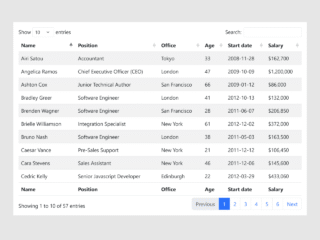
When working with extensive data tables on a webpage, it can be challenging for users to keep track of column headers as they scroll through many rows. To solve this, you can create an HTML table with a fixed header and a scrolling body. This design ensures that your table’s header remains visible at all times, making data navigation much easier and enhancing the overall user experience.
How to Create an HTML Table with a Fixed Header and Scrolling Body
1. Set Up the HTML Structure
First, you need to create the basic HTML table. This table includes a <thead> for the header and a <tbody> for the scrolling content. For compatibility with older browsers like IE 9 and below, a wrapper <div> is included.
<!-- IE < 10 does not like giving a tbody a height.  The workaround here applies the scrolling to a wrapped <div>. -->
<!--[if lte IE 9]>
<div class="old_ie_wrapper">
<!--<![endif]-->

<table class="fixed_headers">
  <thead>
    <tr>
      <th>Name</th>
      <th>Color</th>
      <th>Description</th>
    </tr>
  </thead>
  <tbody>
    <tr>
      <td>Apple</td>
      <td>Red</td>
      <td>These are red.</td>
    </tr>
    <tr>
      <td>Pear</td>
      <td>Green</td>
      <td>These are green.</td>
    </tr>
    <tr>
      <td>Grape</td>
      <td>Purple / Green</td>
      <td>These are purple and green.</td>
    </tr>
    <tr>
      <td>Orange</td>
      <td>Orange</td>
      <td>These are orange.</td>
    </tr>
    <tr>
      <td>Banana</td>
      <td>Yellow</td>
      <td>These are yellow.</td>
    </tr>
    <tr>
      <td>Kiwi</td>
      <td>Green</td>
      <td>These are green.</td>
    </tr>
    <tr>
      <td>Plum</td>
      <td>Purple</td>
      <td>These are Purple</td>
    </tr>
    <tr>
      <td>Watermelon</td>
      <td>Red</td>
      <td>These are red.</td>
    </tr>
    <tr>
      <td>Tomato</td>
      <td>Red</td>
      <td>These are red.</td>
    </tr>
    <tr>
      <td>Cherry</td>
      <td>Red</td>
      <td>These are red.</td>
    </tr>
    <tr>
      <td>Cantelope</td>
      <td>Orange</td>
      <td>These are orange inside.</td>
    </tr>
    <tr>
      <td>Honeydew</td>
      <td>Green</td>
      <td>These are green inside.</td>
    </tr>
    <tr>
      <td>Papaya</td>
      <td>Green</td>
      <td>These are green.</td>
    </tr>
    <tr>
      <td>Raspberry</td>
      <td>Red</td>
      <td>These are red.</td>
    </tr>
    <tr>
      <td>Blueberry</td>
      <td>Blue</td>
      <td>These are blue.</td>
    </tr>
    <tr>
      <td>Mango</td>
      <td>Orange</td>
      <td>These are orange.</td>
    </tr>
    <tr>
      <td>Passion Fruit</td>
      <td>Green</td>
      <td>These are green.</td>
    </tr>
  </tbody>
</table>

<!--[if lte IE 9]>
</div>
<!--<![endif]-->
2. Apply CSS Styling
Next, add the CSS styles. These styles are crucial for making the header fixed and the body scrollable. They also define the table’s appearance and column widths.
.fixed_headers {
  width: 750px;
  table-layout: fixed;
  border-collapse: collapse;
}
.fixed_headers th {
  text-decoration: underline;
}
.fixed_headers th,
.fixed_headers td {
  padding: 5px;
  text-align: left;
}
.fixed_headers td:nth-child(1),
.fixed_headers th:nth-child(1) {
  min-width: 200px;
}
.fixed_headers td:nth-child(2),
.fixed_headers th:nth-child(2) {
  min-width: 200px;
}
.fixed_headers td:nth-child(3),
.fixed_headers th:nth-child(3) {
  width: 350px;
}
.fixed_headers thead {
  background-color: #333;
  color: #FDFDFD;
}
.fixed_headers thead tr {
  display: block;
  position: relative;
}
.fixed_headers tbody {
  display: block;
  overflow: auto;
  width: 100%;
  height: 300px;
}
.fixed_headers tbody tr:nth-child(even) {
  background-color: #DDD;
}
.old_ie_wrapper {
  height: 300px;
  width: 750px;
  overflow-x: hidden;
  overflow-y: auto;
}
.old_ie_wrapper tbody {
  height: auto;
}
That’s all! You have successfully created an HTML table with a fixed header. If you have any questions or suggestions, feel free to comment below.