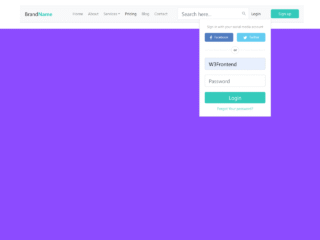
Building a professional and user-friendly website often starts with a well-designed navigation bar. If you are looking to create a clean and effective header for your site, this tutorial will guide you. It demonstrates how to implement a common and highly functional design: a Navbar with Logo on Left and Menu on Right. This setup is ideal for clear branding and easy access to navigation links, improving your website’s overall user experience and visual appeal.
Crafting the Navigation Bar Structure
First, we will set up the basic HTML for our navigation bar. This structure includes a main container for the navbar. Inside, we will have a dedicated section for your logo on the left. Another section will hold your navigation menu items on the right. This clear division makes styling straightforward.
<nav class="nav-content">
     <div class="nav-logo">
       <a href="www.website.com">
         <img src="https://i.imgur.com/cBBxvvn.png">
       </a>
     </div>

     <div class="menu-list">
       <ul id="menu">
         <li><a href='link'>Home</a></li>
          <li><a href='link'>About</a></li>
          <li><a href='link'>Contact</a></li>
         <li><a href='link'>Users</a></li>
       </ul>
     </div>
</nav>
Styling the Navbar with CSS
Next, we will apply CSS to bring our navbar to life. These styles will position the logo correctly. They will also align the menu items to the right side of the navigation bar. We will use modern CSS properties like display: flex or float for precise layout control. This ensures a responsive and aesthetically pleasing look.
.nav-content {
    display: inline-block;
    align-items: center;
    background: #12151c;
    font-family: "Poppins", sans-serif;
    width: 100%;
}
.nav-logo {
    position: relative;
    display: inline-block;
    justify-content: center;
}
.menu-list {
    position: relative;
    display: inline-block;
    min-width: 300px;
    text-align: right;
    right: 5px;
    height: 120px;
    float: right;
}
.menu-list ul#menu {
    position: relative;
    width: auto;
    display: flex;
    align-items: center;
    justify-content: center;
    height: 95px;
}
#menu li {
    list-style: none;
    padding: 10px 10px;
    margin: 0 0.3vh;
}
#menu li a {
  color: white;
  text-decoration: none;
  text-transform: uppercase;
  font-weight: 600;
}
You have now successfully created a functional and visually appealing Navbar with Logo on Left and Menu on Right. This design provides a strong foundation for your website’s header.