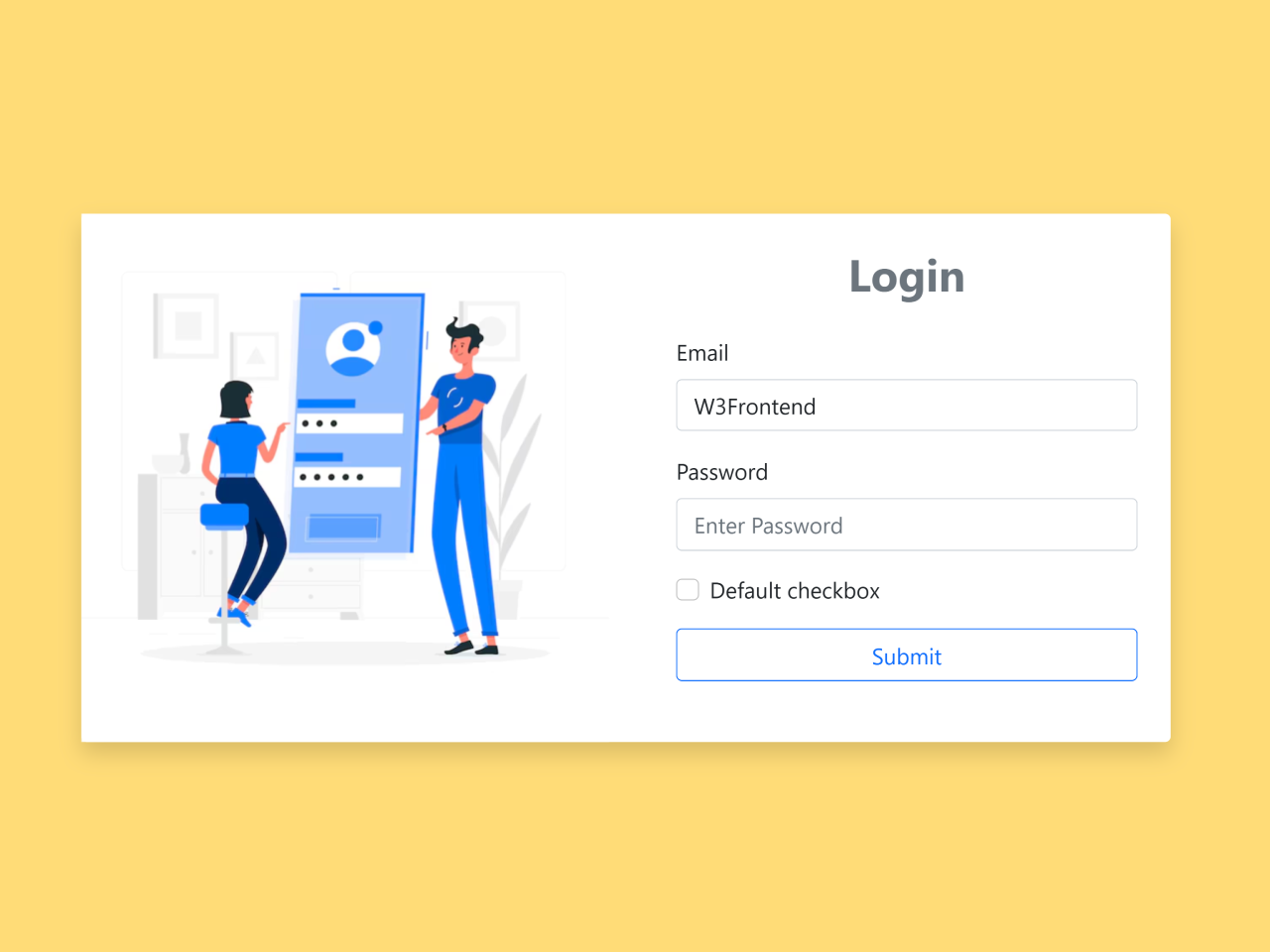
This code helps create a Login Form with Left Side Image. It adjusts the form layout automatically when the screen size changes. The method hides the left image on smaller screens for better visibility. However, it shows the image again on larger devices for a balanced design. Therefore, it ensures the login form stays responsive and user-friendly across all devices.
How to Create Login Form With Left Side Image In Bootstrap 5
First of all, load the following assets into the head tag of your HTML document.
<link rel='stylesheet' href='https://cdn.jsdelivr.net/npm/bootstrap@5.0.2/dist/css/bootstrap.min.css'>
<link rel='stylesheet' href='https://cdnjs.cloudflare.com/ajax/libs/font-awesome/5.15.4/css/all.min.css'>
<link rel='stylesheet' href='https://cdnjs.cloudflare.com/ajax/libs/animate.css/4.1.1/animate.min.css'>
Create the HTML structure as follows:
<div class="container">
  <div class="vh-100 d-flex align-items-center justify-content-center">
    <div class="card shadow border-0">
      <div class="card-body p-0">
        <div class="row">
          <div class="col-md-6 d-flex align-items-center justify-content-center">
            <img src="https://img.freepik.com/free-vector/mobile-login-concept-illustration_114360-83.jpg" class="img-fluid mx-auto animate__animated animate__fadeInLeft" id="img">
          </div>
          <div class="col-md-6">
            <div class="px-4">
              <h2 class="text-muted fw-bold text-center my-4 animate__animated animate__fadeInDown">Login</h2>

              <div class="form-group mb-3">
                <label for="email" class="form-label animate__animated animate__fadeInRightBig">Email</label>
                <input type="text" class="form-control animate__animated animate__fadeInRight" id="email" name="email" placeholder="Enter Email">
              </div>

              <div class="form-group mb-3">
                <label for="password" class="form-label animate__animated animate__fadeInRightBig">Password</label>
                <input type="password" class="form-control animate__animated animate__fadeInRight" id="password" name="password" placeholder="Enter Password">
              </div>

              <div class="form-check mb-3">
                <input class="form-check-input animate__animated animate__fadeInRightBig" type="checkbox" value="" id="flexCheckDefault">
                <label class="form-check-label animate__animated animate__fadeInRightBig" for="flexCheckDefault">
                  Default checkbox
                </label>
              </div>

              <div class="d-grid gap-2 mx-auto mb-4">
                <button class="btn btn-outline-primary animate__animated animate__fadeInUp" type="button">Submit</button>
              </div>

            </div>
          </div>
        </div>
      </div>
    </div>
  </div>
</div>
Load the following scripts before closing the body tag:
<script src='https://cdn.jsdelivr.net/npm/bootstrap@5.0.2/dist/js/bootstrap.bundle.min.js'></script>
<script src='https://cdnjs.cloudflare.com/ajax/libs/jquery/3.6.3/jquery.min.js'></script>
Add the following JavaScript function:
$(document).ready(function(){
   $(window).resize(function() {
    if ($(window).width() < 770) {
      $('#img').hide();
    } else {
      $('#img').show();
    }
  });
});
That’s all! hopefully, you have successfully created login form with left side image using Bootstrap 5. If you have any questions or suggestions, feel free to comment below.