

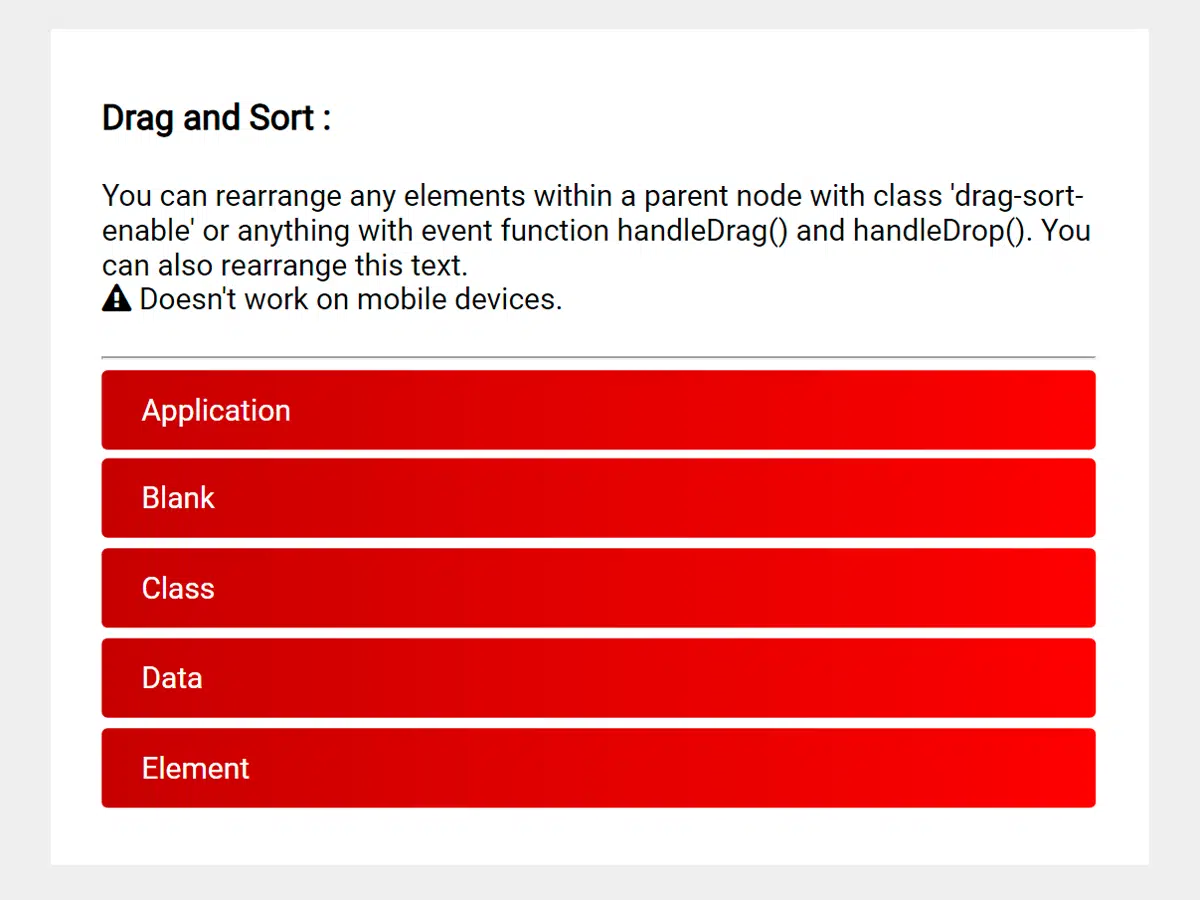
This tutorial will guide you through the process of creating a Javascript Drag And Drop Reorder List & Div. This is a useful feature to implement in your projects if you need users to be able to easily rearrange elements within a list or container, providing a more interactive and intuitive user experience.
Setting Up the HTML Structure
Include Header Assets
First, we need to include the necessary CSS stylesheets in the “ section of your HTML file. These stylesheets will provide basic styling and support for icons.
<link rel="stylesheet" href="https://public.codepenassets.com/css/normalize-5.0.0.min.css">
<link rel='stylesheet' href='https://maxcdn.bootstrapcdn.com/font-awesome/4.7.0/css/font-awesome.min.css'>
<link rel='stylesheet' href='https://cdnjs.cloudflare.com/ajax/libs/twitter-bootstrap/4.0.0-alpha.6/css/bootstrap.min.css'>
Create the HTML Elements
Now, let’s define the HTML structure for our drag and drop list and div. This structure includes a container, a heading, a paragraph with draggable spans, a warning message, and an unordered list with draggable list items.
<div class="container">
  <h3>Drag and Sort :</h3>
  <div class="drag-sort-enable">
    <p class="drag-sort-enable"><span> You</span>
    <span> can</span>
    <span> rearrange</span>
    <span> any</span>
    <span> elements</span>
    <span> within</span>
    <span> a</span>
    <span> parent</span>
    <span> node</span>
    <span> with</span>
    <span> class</span>
    <span> 'drag-sort-enable'</span>
    <span> or</span>
    <span> anything</span>
    <span> with</span>
    <span> event</span>
    <span> function</span>
    <span> handleDrag()</span>
    <span> and</span>
    <span> handleDrop()</span>.
    <span> You can also rearrange this text.</span></p>
    <p><i class="fa fa-exclamation-triangle" aria-hidden="true"></i> Doesn't work on mobile devices.<p>
  </div>
  <hr>
  <ul class="drag-sort-enable">
    <li>Application</li>
    <li>Blank</li>
    <li>Class</li>
    <li>Data</li>
    <li>Element</li>
  </ul>
</div>
    <script  src="./script.js"></script>
html,
body {
  height: 100%;
}

.container {
  margin: 20px auto 0;
  max-width: 500px;
  word-wrap:break-word
}

* {
  box-sizing: border-box;
}

ul {
  margin: 0;
  padding: 0;
}

li {
  margin: 5px 0;
  padding: 0 20px;
  height: 40px;
  line-height: 40px;
  border-radius: 3px;
  background: #136a8a;
background: -webkit-linear-gradient(to right, #267871, #136a8a);
background: linear-gradient(to right, #267871, #136a8a);
  color: #fff;
  list-style: none;
}

li.drag-sort-active {
  background: transparent;
  color: transparent;
  border: 1px solid #4ca1af;
}

span.drag-sort-active {
  background: transparent;
  color: transparent;
}
/* Made with love by @fitri
 This is a component of my ReactJS project
 https://codepen.io/fitri/full/oWovYj/ */

function enableDragSort(listClass) {
  const sortableLists = document.getElementsByClassName(listClass);
  Array.prototype.map.call(sortableLists, (list) => {enableDragList(list)});
}

function enableDragList(list) {
  Array.prototype.map.call(list.children, (item) => {enableDragItem(item)});
}

function enableDragItem(item) {
  item.setAttribute('draggable', true)
  item.ondrag = handleDrag;
  item.ondragend = handleDrop;
}

function handleDrag(item) {
  const selectedItem = item.target,
        list = selectedItem.parentNode,
        x = event.clientX,
        y = event.clientY;

  selectedItem.classList.add('drag-sort-active');
  let swapItem = document.elementFromPoint(x, y) === null ? selectedItem : document.elementFromPoint(x, y);

  if (list === swapItem.parentNode) {
    swapItem = swapItem !== selectedItem.nextSibling ? swapItem : swapItem.nextSibling;
    list.insertBefore(selectedItem, swapItem);
  }
}

function handleDrop(item) {
  item.target.classList.remove('drag-sort-active');
}

(()=> {enableDragSort('drag-sort-enable')})();


