

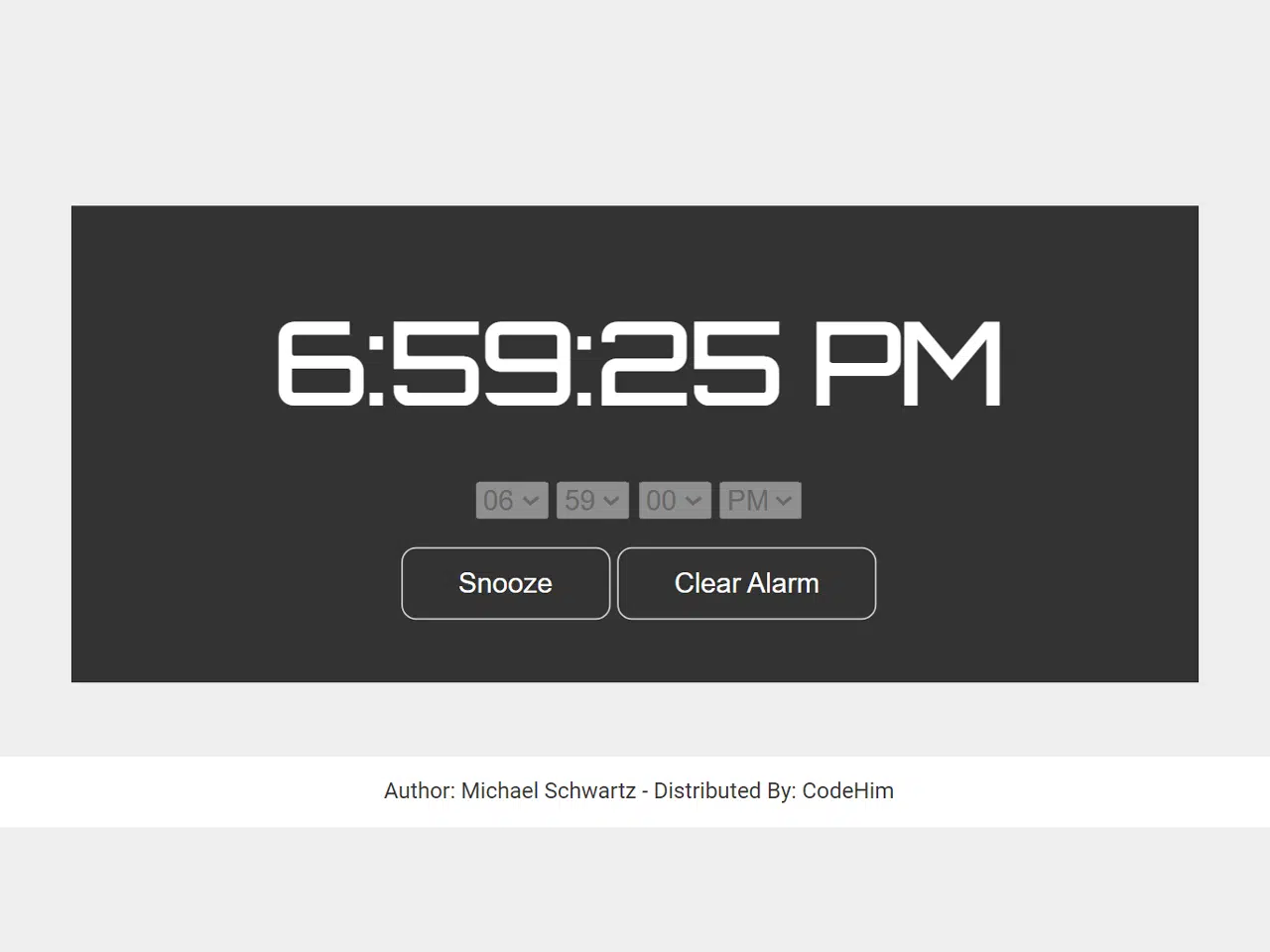
Here’s how to build a Javascript alarm clock with sound, a practical project for learning Javascript while creating a useful tool. This tutorial guides you through the process of creating a functional alarm clock that allows users to set an alarm and hear a sound when the alarm goes off.
<link href="https://fonts.googleapis.com/css?family=Orbitron" rel="stylesheet"><link rel="stylesheet" href="https://public.codepenassets.com/css/normalize-5.0.0.min.css">
Setting Up the HTML Structure
First, you’ll need to create the basic HTML structure for your alarm clock. This includes elements for displaying the current time, setting the alarm time (hours, minutes, seconds, and AM/PM), and buttons for setting/clearing the alarm and snoozing.
<link href="https://fonts.googleapis.com/css?family=Orbitron" rel="stylesheet">

<div class="table">
  <div class="cell">
    <h1 id="clock" class="clock"></h1>

    <select id="hours"></select>
    <select id="minutes"></select>
    <select id="seconds"></select>
    <select id="ampm">
      <option value="AM">AM</option>
      <option value="PM">PM</option>
    </select>

    <p>
      <button id="snooze" class="hide">Snooze</button>
      <button id="startstop">Set Alarm</button>
    </p>
  </div>
</div>
    <script  src="./script.js"></script>
html, body {
  height: 100%;
}

/* background */
body {
  background: #333;
  text-align: center;
}

/* header */
h1 {
  font-family: 'Orbitron', sans-serif;
  font-size: 4em;
  color: #fff;
}

/* buttons */
button {
  cursor: pointer;
  margin: 0 5px;
  padding: 10px 30px;
  background: transparent;
  border: 1px solid #ccc;
  border-radius: 8px;
  outline: 0;
  color: #fff;
  transition: all ease 300ms;
}
button:hover {
  color: #333;
  background: #fff;
}

/* center content vertically and horizontally */
.table {
  display: table;
  width: 100%;
  height: 100%;
}
.cell {
  display: table-cell;
  vertical-align: middle;
  cursor: default;
}

/* variable misc classes */
.hide {
  display: none;
}
// set our variables
var time, alarm, currentH, currentM,
    activeAlarm = false,
    sound = new Audio("https://freesound.org/data/previews/316/316847_4939433-lq.mp3");

/*
  audio sound source: https://freesound.org/people/SieuAmThanh/sounds/397787/
*/

// loop alarm
sound.loop = true;

// define a function to display the current time
function displayTime() {
  var now = new Date();
  time = now.toLocaleTimeString();
  clock.textContent = time;
  // time = "1:00:00 AM";
  // watch for alarm
  if (time === alarm) {
    sound.play();

    // show snooze button
    snooze.className = "";
  }
  setTimeout(displayTime, 1000);
}
displayTime();

// add option values relative towards time
function addMinSecVals(id) {
  var select = id;
  var min = 59;

  for (i = 0; i <= min; i++) {
    // defined as new Option(text, value)
    select.options[select.options.length] = new Option(i < 10 ? "0" + i : i, i < 10 ? "0" + i : i);
  }
}
function addHours(id) {
  var select = id;
  var hour = 12;

  for (i = 1; i <= hour; i++) {
    // defined as new Option(text, value)
    select.options[select.options.length] = new Option(i < 10 ? "0" + i : i, i);
  }
}
addMinSecVals(minutes);
addMinSecVals(seconds);
addHours(hours);

// set and clear alarm
startstop.onclick = function() {
  // set the alarm
  if (activeAlarm === false) {
    hours.disabled = true;
    minutes.disabled = true;
    seconds.disabled = true;
    ampm.disabled = true;

    alarm = hours.value + ":" + minutes.value + ":" + seconds.value + " " + ampm.value;
    this.textContent = "Clear Alarm";
    activeAlarm = true;
  } else {
    // clear the alarm
    hours.disabled = false;
    minutes.disabled = false;
    seconds.disabled = false;
    ampm.disabled = false;

    sound.pause();
    alarm = "00:00:00 AM";
    this.textContent = "Set Alarm";

    // hide snooze button
    snooze.className = "hide";
    activeAlarm = false;
  }
};

// snooze for 5 minutes
snooze.onclick = function() {
  if (activeAlarm === true) {
    // grab the current hour and minute
    currentH = time.substr(0, time.length - 9);
    currentM = time.substr(currentH.length + 1, time.length - 8);

    if (currentM >= "55") {
      minutes.value = "00";
      hours.value = parseInt(currentH) + 1;
    } else {
      if (parseInt(currentM) + 5 <= 9) {
        minutes.value = "0" + parseInt(currentM + 5);
      } else {
        minutes.value = parseInt(currentM) + 5;
      }
    }

    // hide snooze button
    snooze.className = "hide";

    // now reset alarm
    startstop.click();
    startstop.click();
  } else {
    return false;
  }
};
By following these steps, you’ve successfully created a Javascript alarm clock with sound! This project demonstrates basic Javascript concepts and can be further customized to your liking.


