

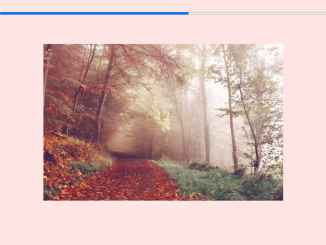
This tutorial will guide you through the process of creating a scroll progress bar in JavaScript. A scroll progress bar is a visual indicator that shows users how far they’ve scrolled down a webpage, enhancing user experience and providing a sense of orientation on long-form content. This implementation uses HTML, CSS, and JavaScript to dynamically update the progress bar as the user scrolls.
Setting Up the HTML Structure
First, we need to create the basic HTML structure for our webpage. This includes the progress bar element and some content to allow scrolling.
<progress max="0" value="0"></progress>
<div id="one">
  <img src="https://picsum.photos/650/425?image=923" alt="">
</div>
    <script  src="./script.js"></script>
Styling the Progress Bar with CSS
Now, let’s style the progress bar using CSS to make it visually appealing and positioned correctly.
html {
  box-sizing: border-box;
}
*, *:before, *:after{
  box-sizing: inherit;
}

body{
  background: rgb(206,220,231); /* Old browsers */
  background: -moz-linear-gradient(-25deg,  rgba(206,220,231,1) 0%, rgba(74,80,84,1) 100%); /* FF3.6-15 */
  background: -webkit-linear-gradient(-25deg,  rgba(206,220,231,1) 0%,rgba(74,80,84,1) 100%); /* Chrome10-25,Safari5.1-6 */
  background: linear-gradient(165deg,  rgba(206,220,231,1) 0%,rgba(74,80,84,1) 100%); /* W3C, IE10+, FF16+, Chrome26+, Opera12+, Safari7+ */
  filter: progid:DXImageTransform.Microsoft.gradient( startColorstr='#cedce7', endColorstr='#596a72',GradientType=1 ); /* IE6-9 fallback on horizontal gradient */
  min-height: 200vh;
}

progress {
  width: 100%;
  position: fixed;
  top: 0;
  left: 0;
  color: #ea4221;
}

-webkit-progress {
  width: 100%;
  position: fixed;
  top: 0;
  left: 0;
  color: #ea4221;
}
progress {
  width: 100%;
  position: fixed;
  top: 0;
  left: 0;
  color: #ea4221;
}

progress::-moz-progress-bar {
  background: #ea4221;
}
progress::-webkit-progress-value {
  background: #ea4221;
}

#one{
  display:flex;
  height: 195vh;
  align-items: center;
  justify-content: center;
}
Implementing the Scroll Logic with JavaScript
Finally, we’ll use JavaScript to update the progress bar’s value as the user scrolls down the page. This involves calculating the scroll progress and updating the progress bar element accordingly.
var bar = document.querySelector('progress'),
    max = document.body.scrollHeight - innerHeight,
    val;

bar.max = max;

addEventListener('scroll', function(){
  bar.value = window.pageYOffset;
})

addEventListener('resize', function(){
  bar.max = document.body.scrollHeight - innerHeight;
})
Conclusion:
You have now successfully implemented a scroll progress bar in JavaScript. This simple yet effective feature can greatly improve the user experience on your website.


